Shipping Features From My Phone
How I merged a DataTalks.Club Wrapped feature by opening a PR from a tram stop, iterating with Copilot from my smartphone, and deploying via CI/CD.
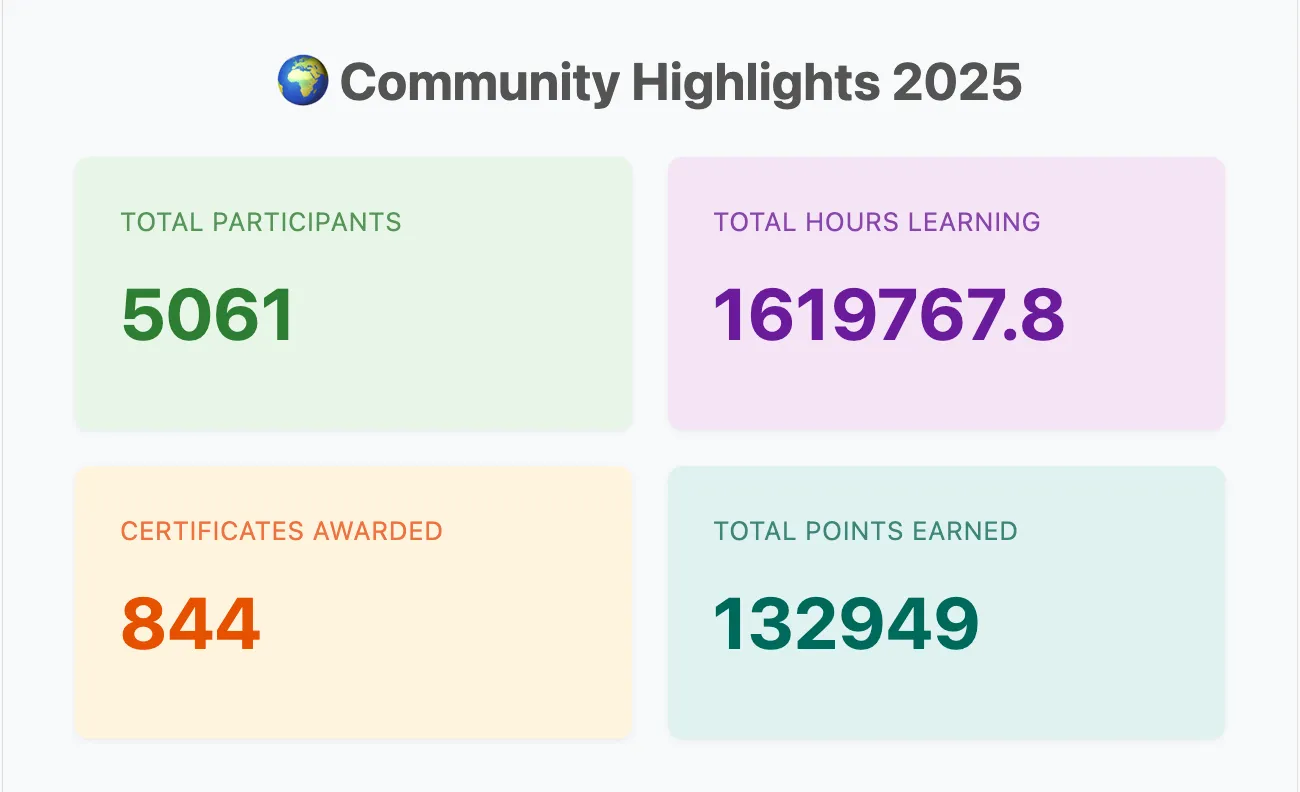
Last week, I merged a pull request into the DataTalks.Club course management platform, the system we use to manage course homework and projects. The PR added a Spotify Wrapped-style experience to the platform: 2025 community highlights, the most popular courses, top learners, and individual, shareable Wrapped pages for each participant.
Most of the work happened on my smartphone while I was commuting to pick up my kid.
In this post, I'll walk through how I did it: opening the PR from a tram stop, iterating with Copilot from my phone, and deploying via CI/CD.
How I Did It
Here's the workflow from idea to production, all from my phone except the final deploy.
1. Starting the PR from a Tram Stop
The idea came to me while I was standing at a tram stop: it would be useful to have a single page summarizing what learners achieved across our Zoomcamps throughout the year.
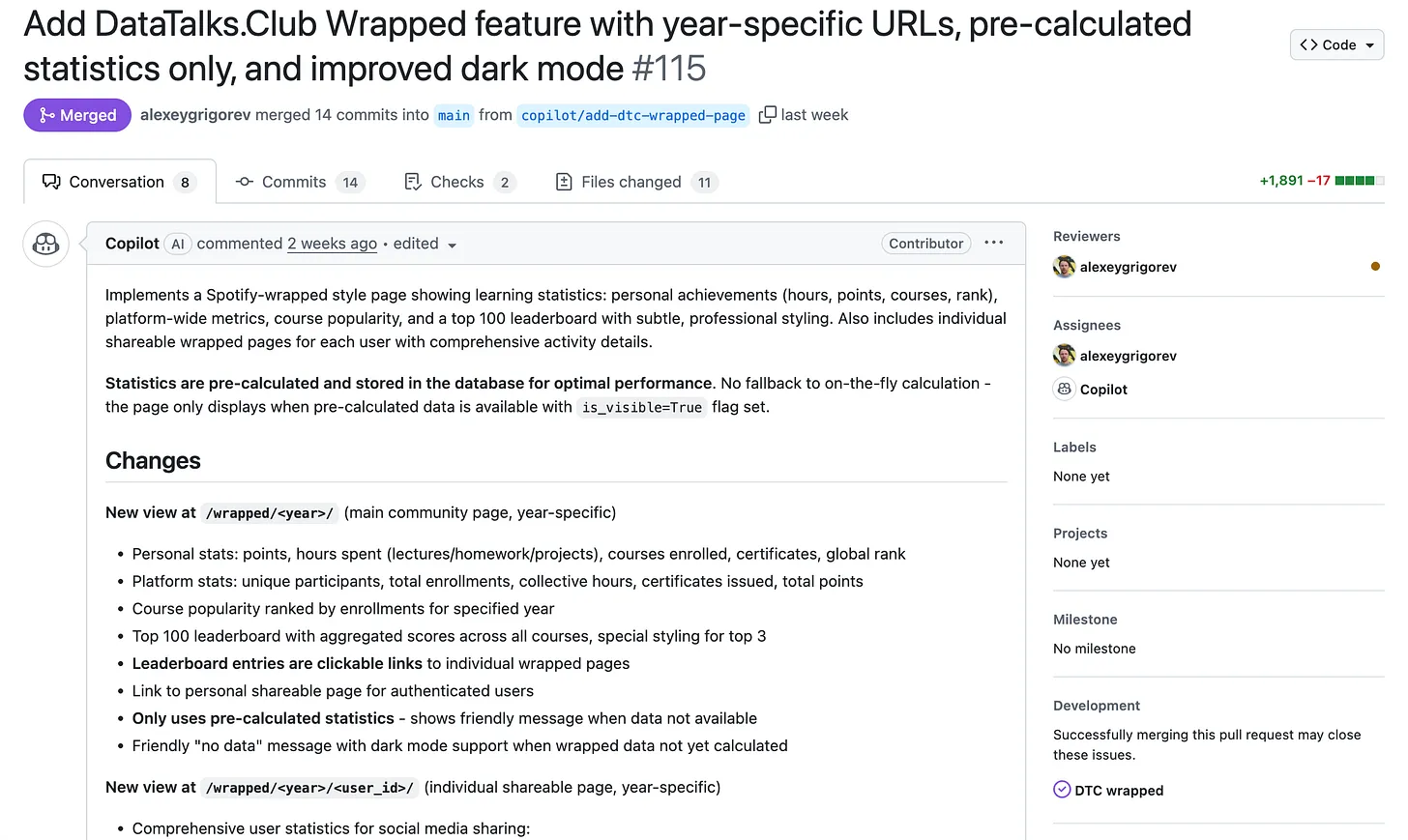
I opened GitHub on my phone, dictated a rough issue description using voice input, and assigned it to Copilot. About 20-30 minutes later, Copilot opened a PR with working pages, code, and screenshots.
2. Iterating Without a Laptop
Once the PR was open, I reviewed the changes and Copilot updated the code based on my comments. I handled the whole back-and-forth from my phone.
I scroll through the code changes on my phone, leave comments, tag Copilot, and ask for specific updates. After Copilot pushes a new version, I review again and repeat if needed. That works well for small changes: copy tweaks, layout adjustments, and minor logic updates.
Voice recognition sometimes gets it wrong. In the original issue I said "top 100," which became "top 1200" in an early version of the PR. Those mistakes are easy to fix: I spot them in review, leave a comment, and reassign Copilot.
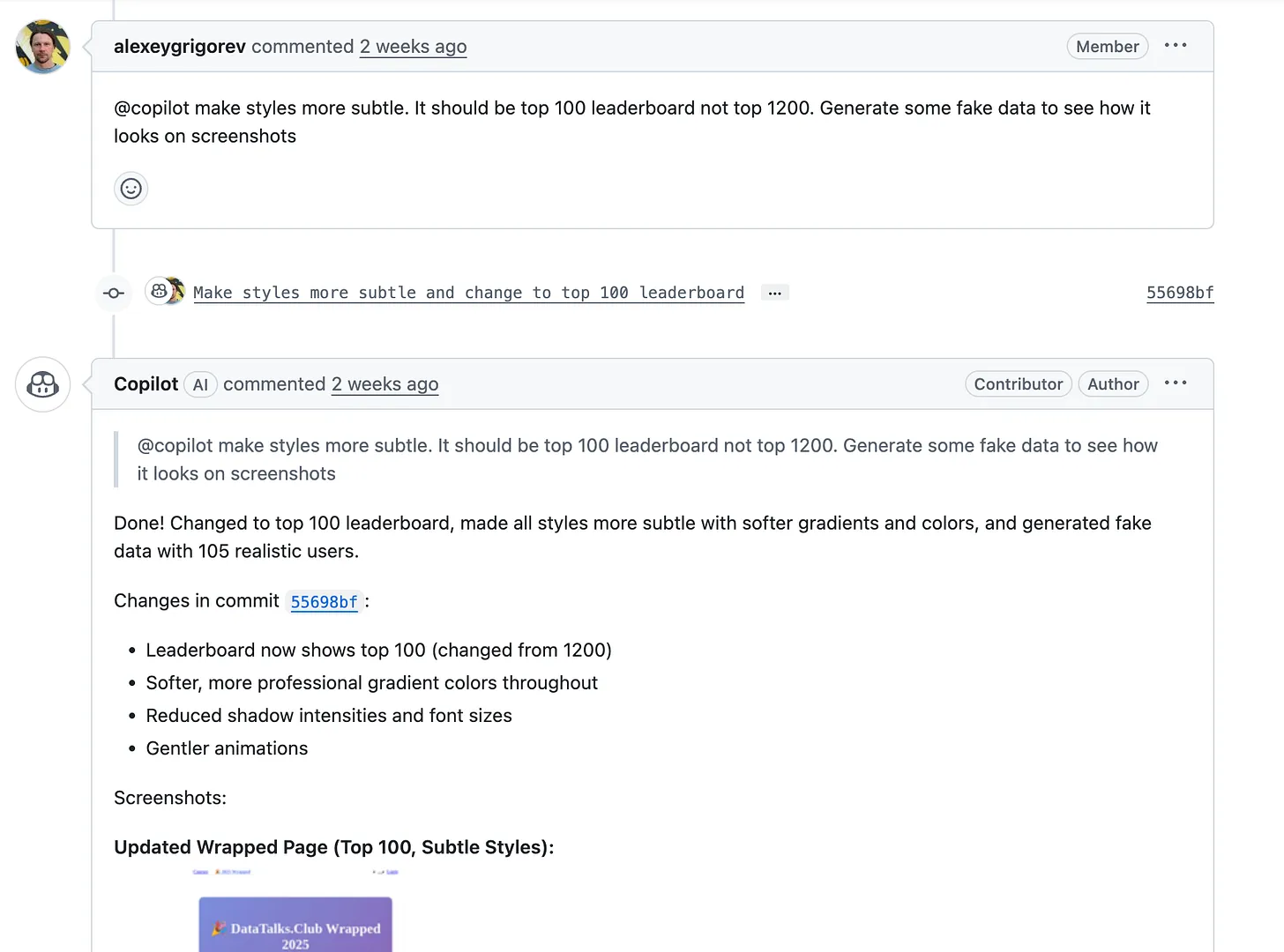
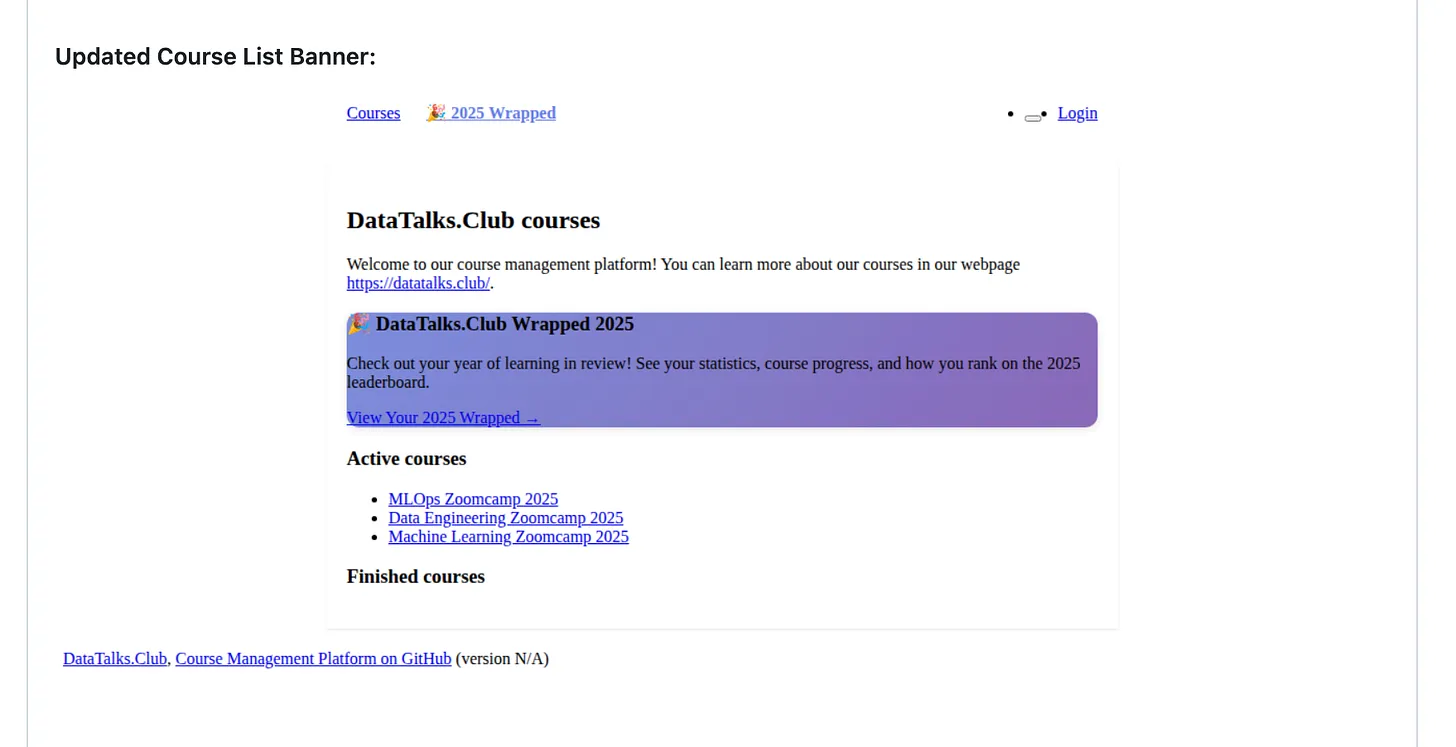
One particularly useful detail: Copilot can run the project, generate UI screenshots, and attach them to the PR. I can check that the page renders and that buttons and links behave as expected. The screenshots aren't perfect (Copilot has no internet access, so some styles don't load), but they're enough to confirm nothing is obviously broken.
3. Phone vs. Laptop Work
After each new comment, Copilot takes about 10-30 minutes to update the PR. I go through this review-and-comment cycle several times a day from my smartphone, often in short windows between other tasks. For small and medium-sized changes, it's remarkably effective.
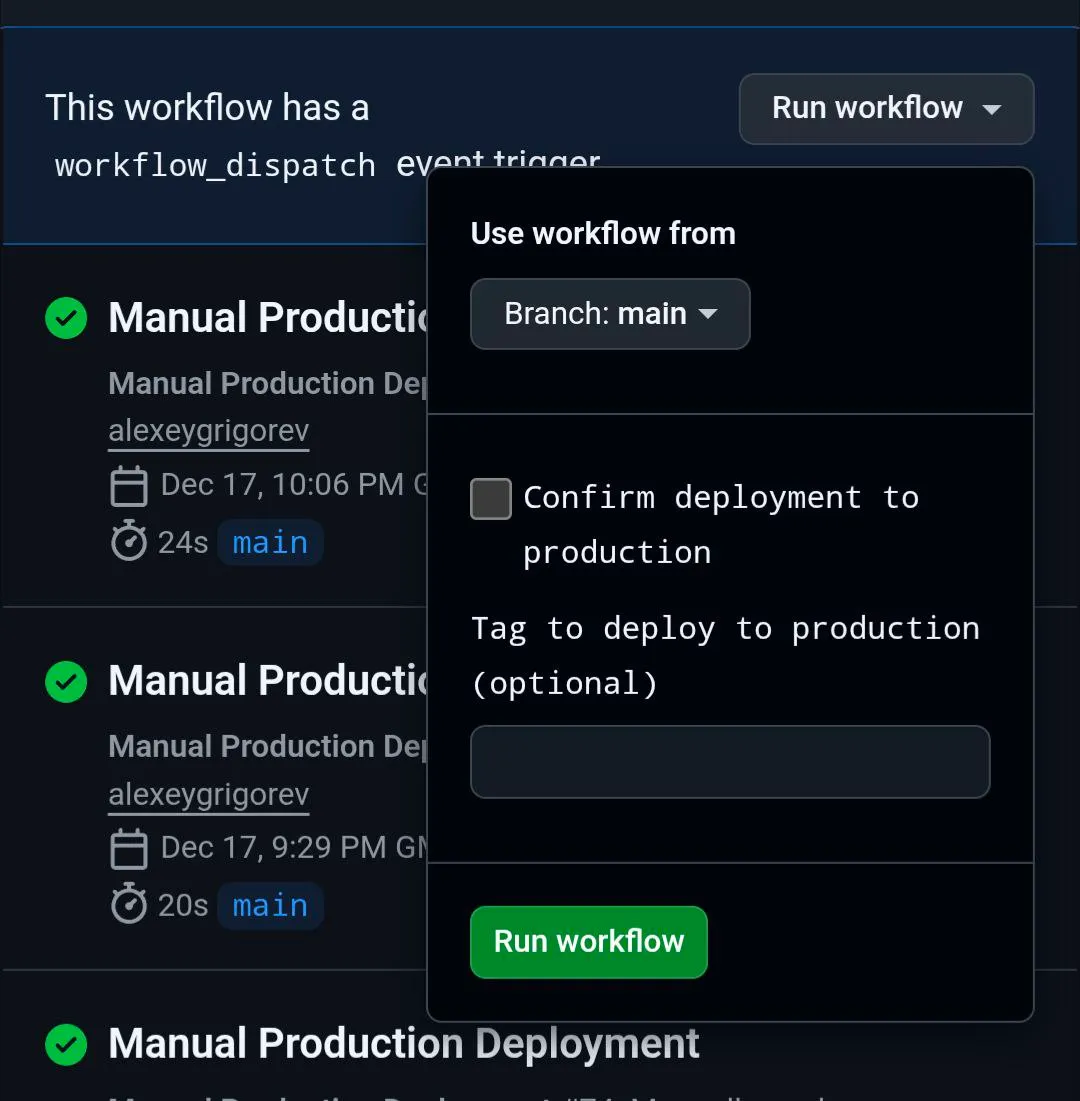
What I don't do from my phone is final approval for complex changes. For larger features, deeper testing, or anything that could break production, I still sit down at my laptop. CI/CD helps: once I merge a PR, changes are automatically deployed to our dev environment, where I can test visually. If everything looks good, deploying to production is a single button in GitHub.
Tools I Used
Here are the specific tools that made this possible:
GitHub (mobile)
- Open and assign issues from the phone
- Dictate issue descriptions with voice input
- Review PR diffs, leave comments, tag Copilot
- Merge PRs when ready
- Trigger production deployment from the Actions tab
GitHub Copilot
- Generates working code and UI from a high-level issue description
- Updates the PR based on inline comments and @mentions
- Runs the project and attaches screenshots to the PR for visual check
- Handles copy, layout, and logic changes in one cycle
CI/CD (GitHub Actions)
- Auto-deploys merged PRs to the dev environment
- Manual production deployment with a single "Run workflow" from the main branch
- Optional tag and confirmation step for production
Key Takeaways
You don't need a laptop for routine engineering: Most of the work is writing clear instructions, reviewing output, and correcting mistakes. If you're comfortable with that loop, you can close multiple PRs a day from a tram stop.
Voice input is good enough: Dictating an issue at a tram stop led to a full PR in 20-30 minutes. Occasional mistakes (e.g. "top 1200" instead of "top 100") are easy to fix in review.
Copilot's screenshots save time: Even without network access, the generated UI screenshots are enough to confirm layout and behavior before you sit down at a laptop.
Reserve the laptop for the critical path: I still use a laptop for final approval, deeper testing, and production deploy. CI/CD does the rest.
Small iterations fit mobile: 10-30 minutes per Copilot cycle fits well into short gaps: commute, waiting room, or between meetings.
See It Live
You can explore the result here:
- Wrapped 2025: courses.datatalks.club/wrapped/2025/
- Course platform: courses.datatalks.club
- PR: GitHub - Add DataTalks.Club Wrapped feature #115
For many routine tasks, the bottleneck is no longer the machine: it's clear instructions and a good review loop.
Related content
Build and Deploy a Full-Stack App with AI Coding Assistants
In this workshop we'll build the classic Snake game as a full-stack web app, end to end. A coding assistant does most of the work. We'll: generate a React frontend with Lovable wr…
June 23, 2026
Holiday Planning App
Xia He-Bleinagel built a full-stack holiday planning app on Django using AI tools: ChatGPT for prompts, Lovable for UI, Cursor for implementation, and Google Antigravity (Gemini) …
December 15, 2025
How I Rebuilt My Personal Website in 10 Minutes With AI
I hadn't updated my personal website since 2012. Using AI tools like Lovable and GitHub Copilot, I rebuilt it from scratch in under 10 minutes. Here's exactly how I did it and wha…
December 5, 2025