Personal Brand for Developers: A 30-Day LinkedIn Challenge
Recording available with Main or above.
Most of what you do as a developer stays private. You learn a tool, fix a bug, or choose one library over another. Then you move on, and the work disappears.
In this workshop you turn that work into public proof of your learning. You take on a 30-day challenge to make posting a habit.
The session is about personal brand for developers, focused on LinkedIn. It's not a coding workshop. You'll get comfortable publishing what you learn before it feels perfect, and you'll get a repeatable system, so you never face a blank page. The challenge is small: three LinkedIn posts a week for four weeks.
You run the system every week. You capture small notes from your daily work as they happen. Once a week you book a short block and pick three notes. You draft each one with an AI assistant, then edit it into your own voice and schedule it.
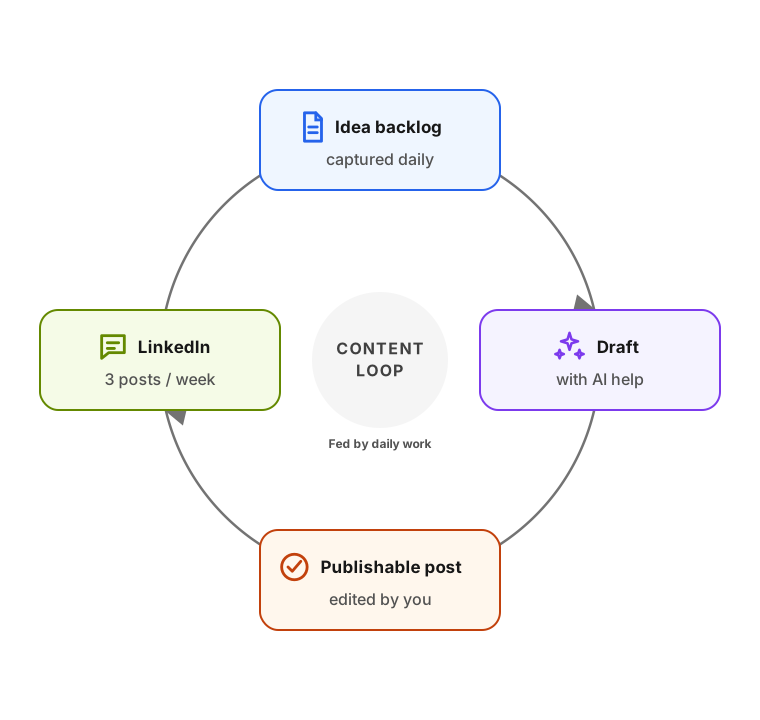
You never capture and draft at the same time, and we do this on purpose. You capture often, and it takes little effort. It can be a voice note after a debugging session. It can be a screenshot of an error or a one-line idea saved to yourself. Drafting is a single focused block where you turn raw notes into posts in batches.
We spend most of our time getting past the reasons people don't post. You don't need to be an expert. Nothing has to be original. Early posts that get no reactions are normal, and still useful.
The rest covers the practical side:
- where post ideas come from
- what a good post looks like
- templates you can copy
- a live walkthrough of turning a project write-up into a post
Links
Resources referenced in the session:
- Steal Like an Artist and Show Your Work by Austin Kleon. Short books on why nothing is fully original and why sharing your process is worth it.
- The challenge runs in the
#linkedin-challengechannel in the AI Shipping Labs community. It has a shared draft-review document and individual draft threads for feedback.
Upgrade to Basic to access this workshop
- Full workshop overview
- Complete page list
- Step-by-step tutorial
- Cancel anytime
Tutorial pages
- Part 1: The 30-day LinkedIn challenge
- Part 2: Reframe the blockers and set a goal
- Part 3: Why developers post, and where
- Part 4: What to post
- Part 5: Capture during the week, draft once a week
- Part 6: Draft with AI, then edit yourself
- Part 7: What a good post needs
- Part 8: Post templates you can copy
- Part 9: Turn an article into posts
- Where to go from here
- Q&A: side discussions