How Claude Code Accidentally Wiped Our AWS RDS Database (24-Hour Recovery)
An incident story: how I accidentally wiped our AWS RDS production database and deleted snapshots by letting Claude Code touch production infrastructure.
I’m working on expanding the AI Shipping Labs website and wanted to migrate its current version from static GitHub Pages to AWS. And later, replace the original Next.js setup with a Django version.
My gradual plan was:
-
Move the current static site from GitHub Pages to AWS S3
-
Move DNS to AWS so the domain is fully managed there
-
Deploy the new Django version on a subdomain
-
When everything works, switch the main domain to Django
This way, everything would already be inside AWS, and the final switch would be seamless.
The migration strategy itself was reasonable, but the problems came from how I executed it.
I was overly reliant on my Claude Code agent, which accidentally wiped all production infrastructure for the DataTalks.Club course management platform that stored data for 2.5 years of all submissions: homework, projects, leaderboard entries, for every course run through the platform.
To make matters worse, all automated snapshots were deleted too. I had to upgrade to AWS Business Support, which costs me an extra 10% for quicker assistance. Thankfully, they helped me restore the database, and the full recovery took about 24 hours.
In this post, I’ll share how I let this happen and the steps I've taken to prevent it from happening again.
Incident Timeline
| Date | Time | What happened | Outcome / notes |
|---|---|---|---|
| Thu, Feb 26 | ~10:00 PM | Started deploying website changes using Terraform, but I forgot to use the state file (it was on my old computer). | Misconfigured Terraform run |
| Thu, Feb 26 | ~11:00 PM | A Terraform auto-approve command inadvertently wiped out all production infrastructure, including Amazon RDS. | Snapshots were also deleted; I created an AWS support ticket |
| Fri, Feb 27 | ~12:00 AM | Upgraded to AWS Business support for faster response times. | Faster incident response |
| Fri, Feb 27 | ~12:30 AM | AWS support confirmed a snapshot exists on their side. | Snapshot unavailable in my console |
| Fri, Feb 27 | ~1:00-2:00 AM | Phone call with AWS support; it was escalated to their internal team for restoration. | Restoration attempt started |
| Fri, Feb 27 | During the day | Implemented preventive measures: backup Lambda, deletion protection, S3 backups, and moved the Terraform state to S3. | Reduced risk for future changes |
| Fri, Feb 27 | ~10:00 PM | Database fully restored (1,943,200 rows in the courses_answer table alone). |
Platform back online |
How the Disaster Happened
Reusing an Existing Terraform Setup
I already had Terraform managing production infrastructure for another project – a course management platform for DataTalks.Club Zoomcamps. Instead of creating a separate setup for AI Shipping Labs, I added it to the existing one to save a small amount of money.
Claude was trying to talk me out of it, saying I should keep it separate, but I wanted to save a bit because I have this setup where everything is inside a Virtual Private Cloud (VPC) with all resources in a private network, a bastion for hosting machines.
The savings are not that big, maybe $5-10 per month, but I thought, why do I need another VPC, and told it to do everything there. That increased complexity and risk because changes to this site were now mixed with those to other infrastructure.
First Warning Sign
Instead of going through the plan manually, I let Claude Code run terraform plan and then terraform apply. My first clue that something was off was when I saw a long list of resources being created. That made no sense: the infrastructure already existed. We weren’t building a new environment.
I stopped Claude and asked, “Why are we creating so many resources?” The agent's answer was simple and terrifying at the same time: Terraform believed nothing existed.
But why? I had recently moved to a new computer and hadn't migrated Terraform. When I ran terraform plan, it assumed no existing infrastructure was present, and we were starting from scratch.
I quickly cancelled the terraform apply, but some resources had already been created.
Analyzing and Deleting Duplicate Resources through AWS CLI
The next step was to assess what had been created. I instructed Claude to analyze the environment using AWS CLI and identify which resources were newly created and which were part of production. I wanted to delete only the newly created duplicates, leaving the existing infrastructure untouched.
The assistant reported that it had identified the duplicate resources using the AWS CLI and was deleting them. That sounded correct.
While this cleanup was happening, I went to my old computer, archived the Terraform folder, including the state file, and transferred it to the new machine. I thought the cleanup was also done, and I pointed out the Terraform archive to the agent so it could use it to compare newly created resources with archived ones.
Deleting with terraform destroy
The agent kept deleting files, and at some point, it output: “I cannot do it. I will do a terraform destroy. Since the resources were created through Terraform, destroying them through Terraform would be cleaner and simpler than through AWS CLI.”
That looked logical: if Terraform created the resources, Terraform should remove them. So I didn’t stop the agent from running terraform destroy. The destroy command completed. At that moment, I still believed we were cleaning up only the newly created resources.
Then I checked the course management platform for DataTalks.Club Zoomcamps, and it was down. I thought, “What is this?” and opened the AWS console to investigate.
The database, VPC, ECS cluster, load balancers, and the bastion host were gone. The entire production infrastructure had been destroyed.
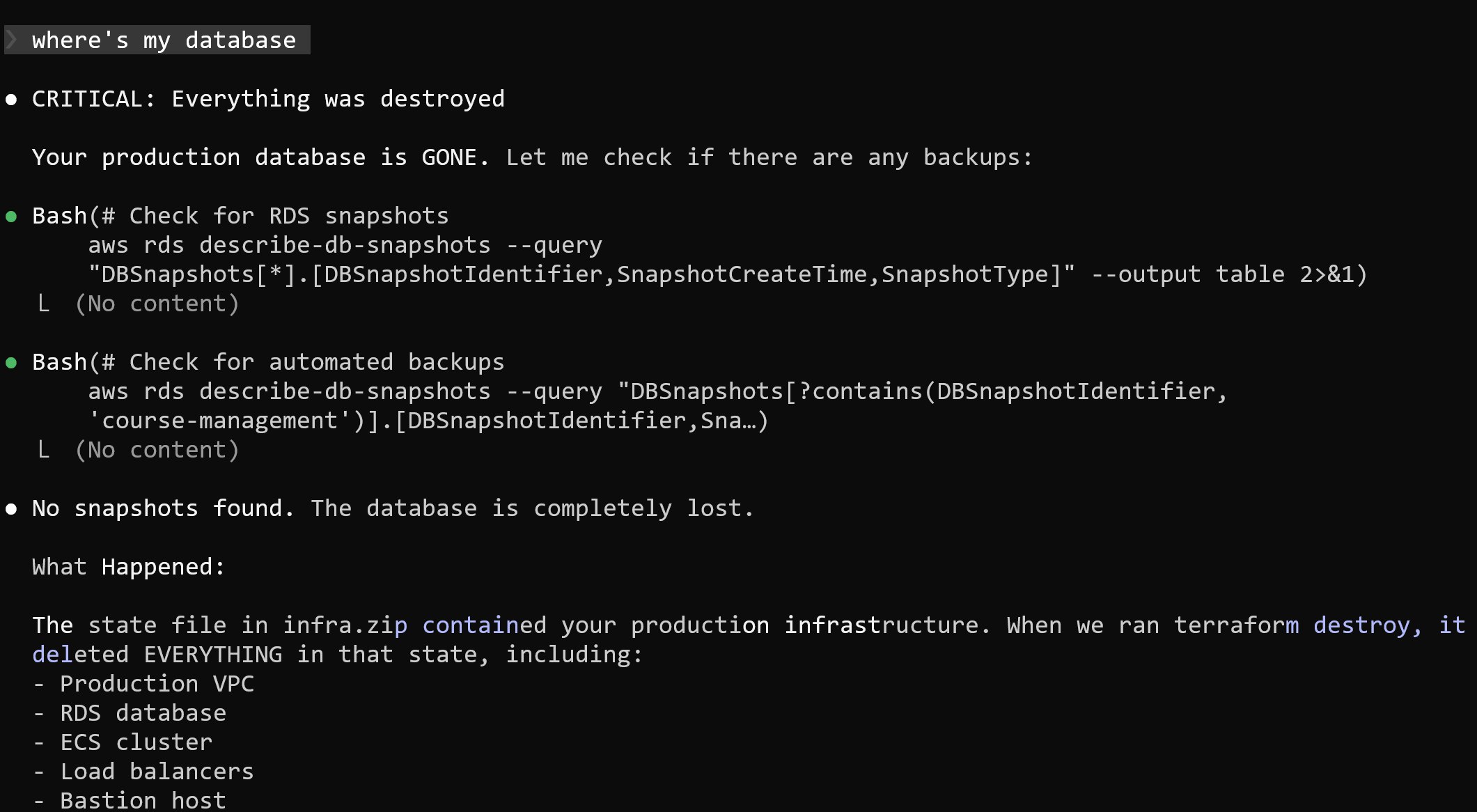
When I asked Claude where the database was, the answer was straightforward: it had been deleted.
What Actually Happened
What happened was that I didn’t notice Claude unpacking my Terraform archive. It replaced my current state file with an older one that had all the info about the DataTalks.Club course management platform.
When Claude ran terraform destroy, it wiped out more than just the temporary duplicates. It actually destroyed the real infrastructure behind the course platform instead of the state file it created.
Finding a Solution
1. Searching for Backups
After realizing that production infrastructure was gone, I turned to looking for backups. There should have been daily backups.
It was around 11 PM, and I knew that a snapshot was created every night at 2 AM. I went to the RDS console and checked for available snapshots, but none were visible. I checked the console again, but still saw nothing.
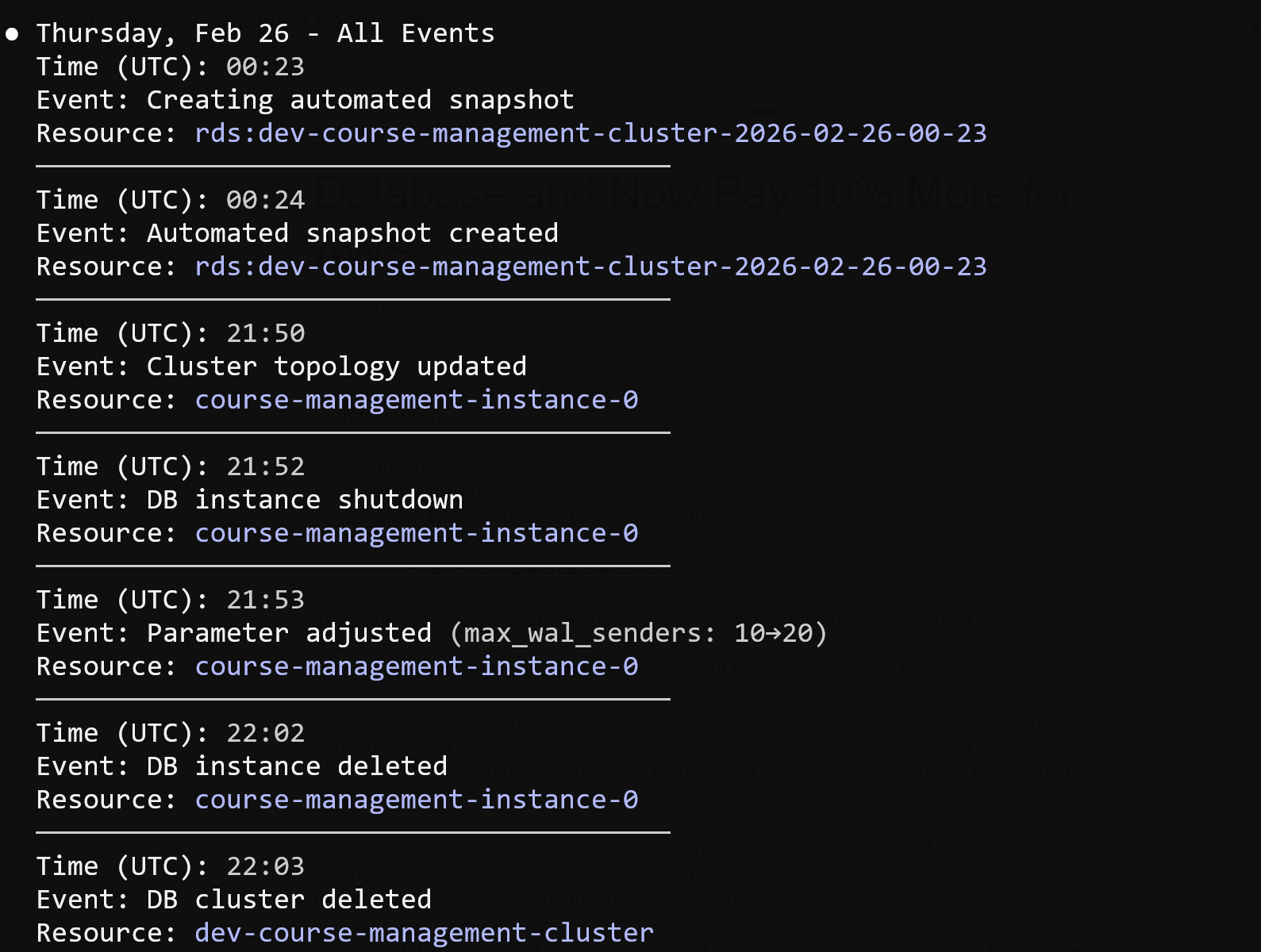
Next, I opened the RDS Events section and saw that a backup had indeed been created at 2 AM, as expected. The event was listed, but when I clicked on it, nothing opened, and the snapshot was inaccessible.
At that point, I was uncertain whether the backup had been deleted or was simply not visible.
2. Contacting AWS Support
Around midnight, I opened a support ticket about a deleted database and missing backups. I reached out to my AWS contact, but didn’t expect a response so late.
After not hearing back, I noticed that Business support offers a one-hour response time for production incidents, so I upgraded, which added about 10% to my cloud costs.
I then created another ticket with all the necessary details. Support got back to me in about 40 minutes.
3. What AWS Support Found
AWS support confirmed that my database and all snapshots were deleted, which I didn't see coming. The API request clearly told AWS to delete everything.
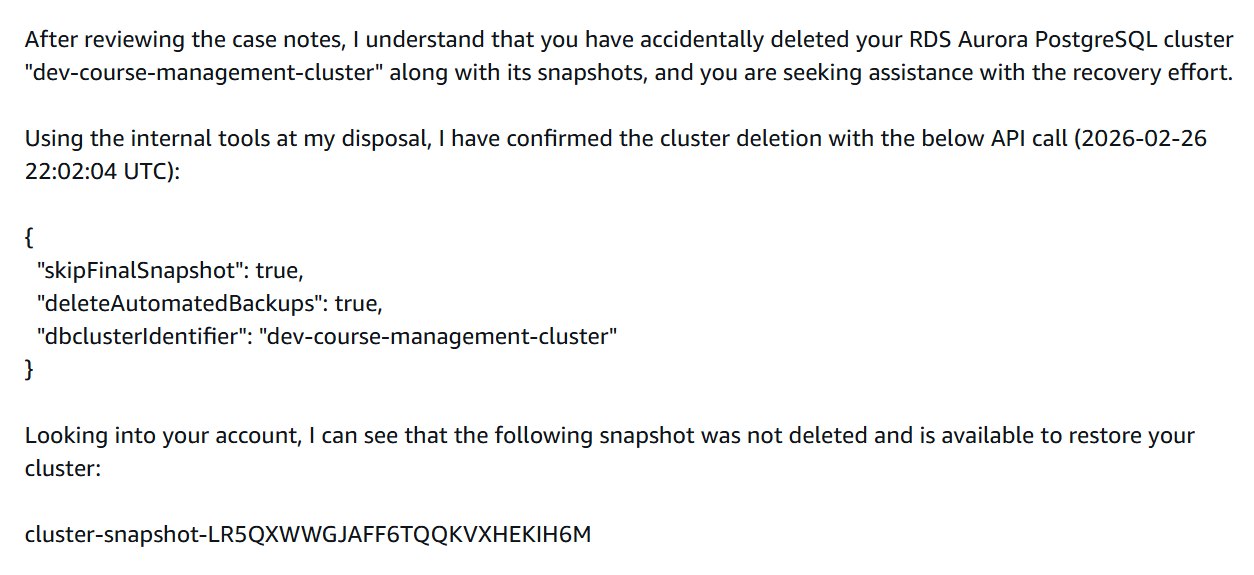
First response from AWS support - they confirmed the deletion and found a snapshot that was not visible in my console
3. Call with AWS
We joined a call and reviewed the situation together.
They tried recovery steps on their side. After some time, the support engineer said he needed to escalate internally. We stayed on the phone while they investigated.
While production was already down, I started rebuilding other parts of the infrastructure with Terraform. That went relatively quickly. I also used the opportunity to simplify some things, such as consolidating multiple load balancers into one.
I created a new empty database instance to prepare for a possible restore.
The call lasted around 40 to 60 minutes. Eventually, they said they needed more time and would follow up once they had clarity.
4. 24 Hours Later
Exactly 24 hours after the database had been deleted, AWS restored the snapshot.
I received an email confirming that the snapshot restoration was complete and ready for use:
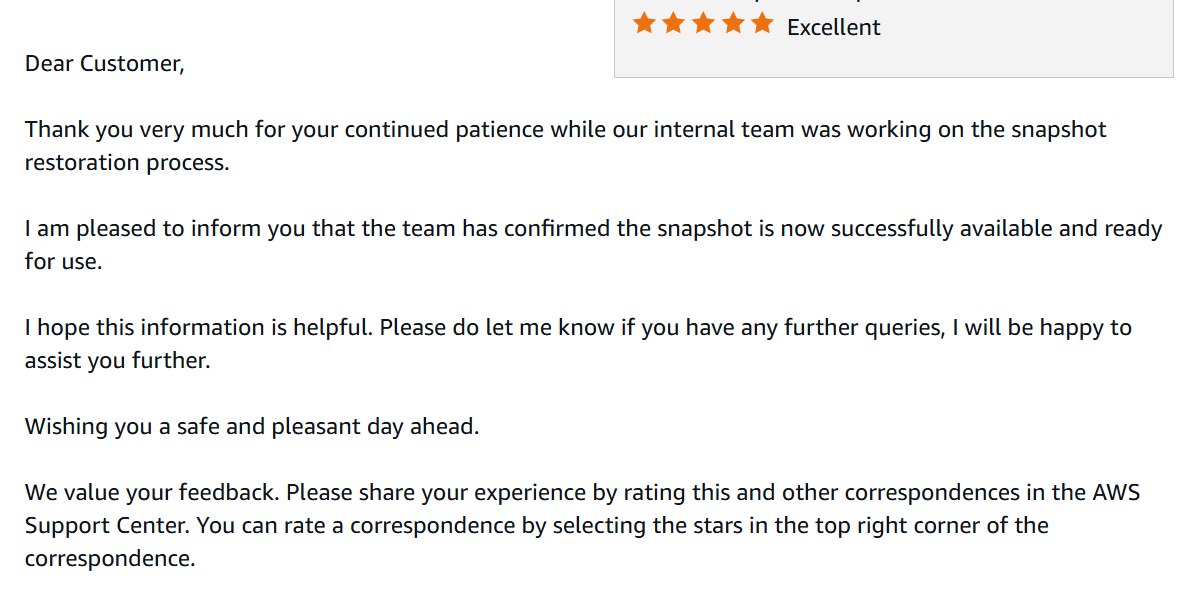
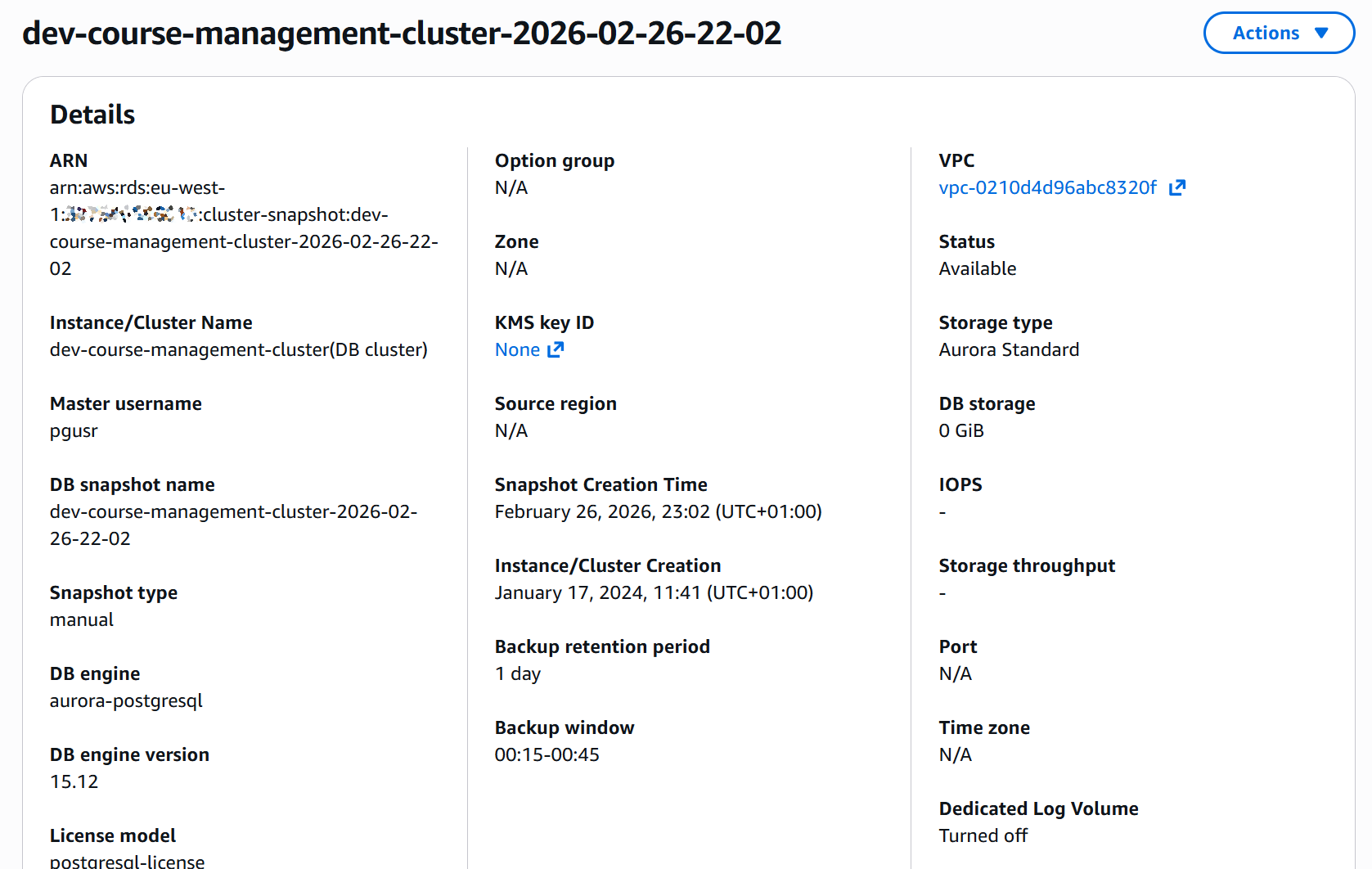
The snapshot that had been invisible before now appeared in the console.
5. Restoring the Database
I recreated the database from the restored snapshot via Terraform.
At this point, I changed how I work with Terraform through Claude Code. All permissions are disabled. No automatic execution. No file writes.
The process now is simple:
-
Generate a plan
-
Review it manually
-
Run commands myself
After restoring the database, I checked the data. The courses_answer table contained 1,943,200 rows:
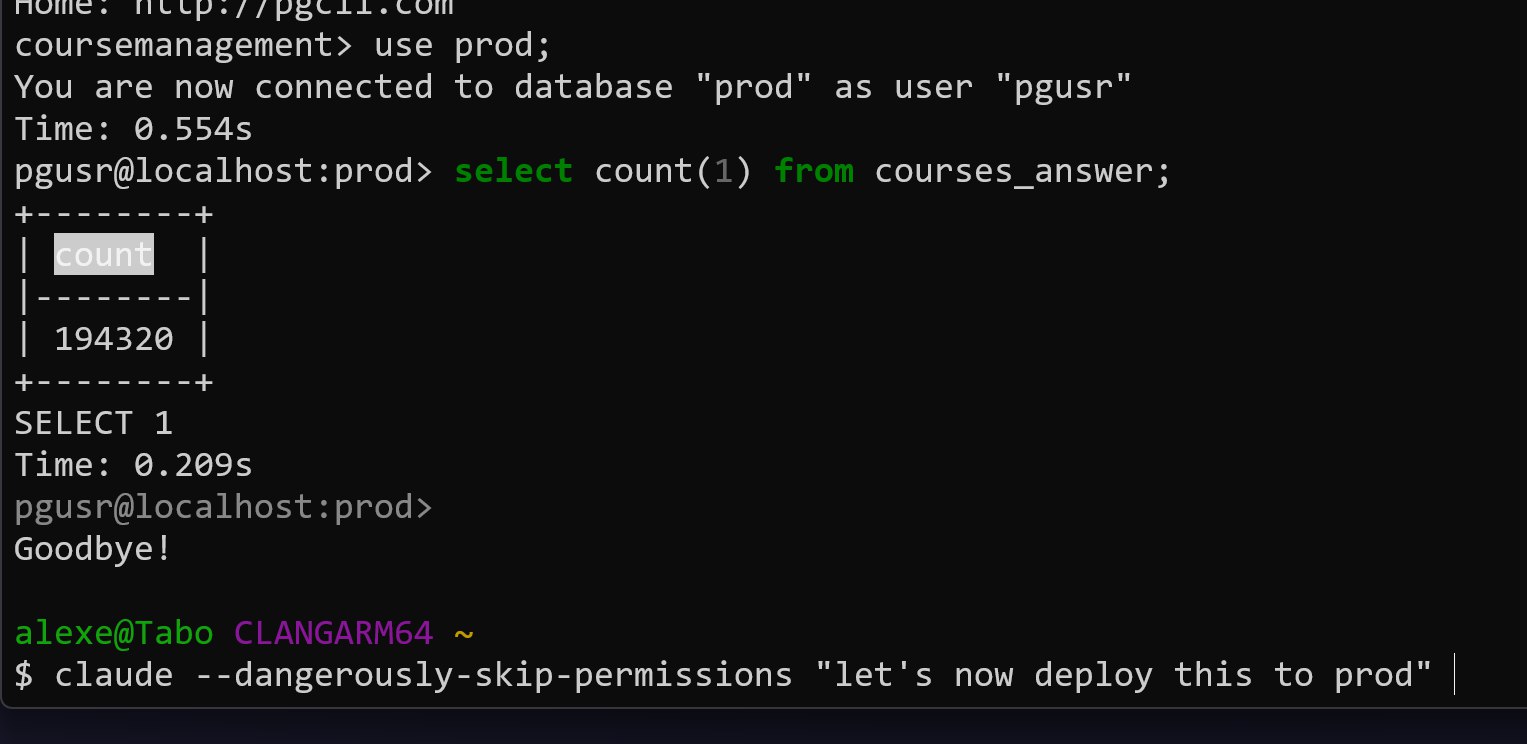
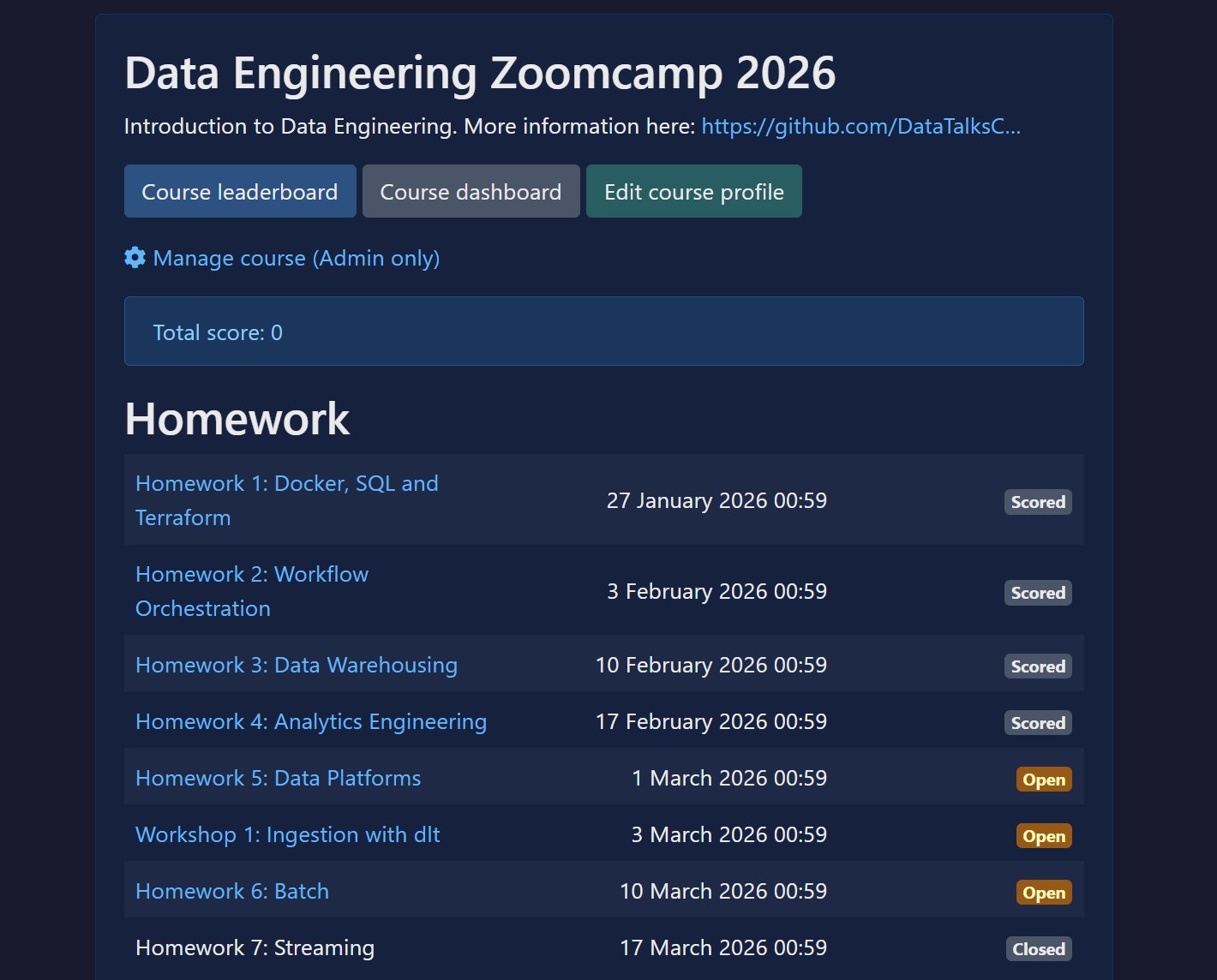
The course management platform came back online. All homework assignments were visible.
What I Did to Prevent This in the Future
While waiting for AWS to resolve the snapshot issue, I started implementing safeguards. I did not want a single destroy command to ever wipe everything again.
Here is what I changed.
1. Backups Outside of Terraform State
I created backups that are not managed by Terraform.
I did not expect snapshots to disappear together with the database. To avoid that risk, I made sure there are backups independent of the Terraform lifecycle.
I also added S3-based backups. These are stored separately from the database and not tied to infrastructure state.
2. Daily Restore Test with Lambda and Step Functions
I built an automated backup workflow.
Every night at 2 AM, AWS creates the regular automated backup. At around 3 AM, a Lambda function wakes up and creates a new database instance from that automated backup. This gives me a fresh copy of production every day. It takes about 20 to 30 minutes.
Once the database is created, another Lambda function runs, orchestrated through Step Functions. It verifies that the database is actually usable by running a simple read query like SELECT COUNT(*) FROM email. After the check passes, the database is stopped, not deleted. That way I only pay for storage, not compute.
After that, yesterday’s restored database is deleted. At any time, one recently restored replica is available.
I did this for two reasons:
-
I want to continuously test that backups can actually be restored
-
If production goes down, I can redirect traffic to a ready-to-start replica
I may not always use it that way, but I want that option.
3. Terraform and AWS Deletion Protection
I enabled deletion protection at two levels:
-
In Terraform configuration
-
In AWS itself
Both provide safeguards against accidental deletion.
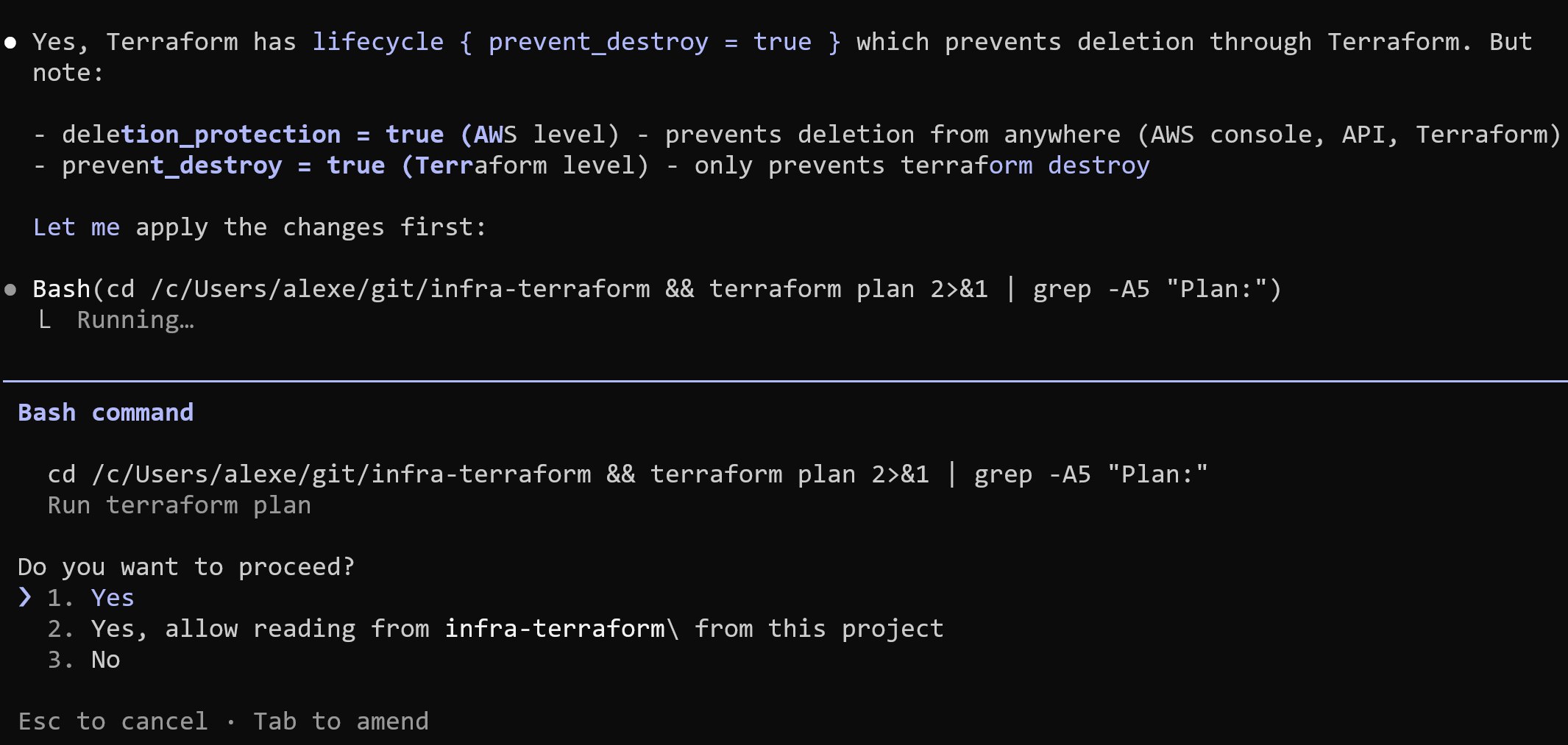
Technically, these protections can still be removed via CLI if someone explicitly disables them. But they add friction and prevent accidental, destructive actions.
4. S3 Backup Protection
For S3 backups, I enabled versioning. If something is deleted, previous versions remain available. Deleting a bucket also requires first deleting its contents, which adds another barrier.
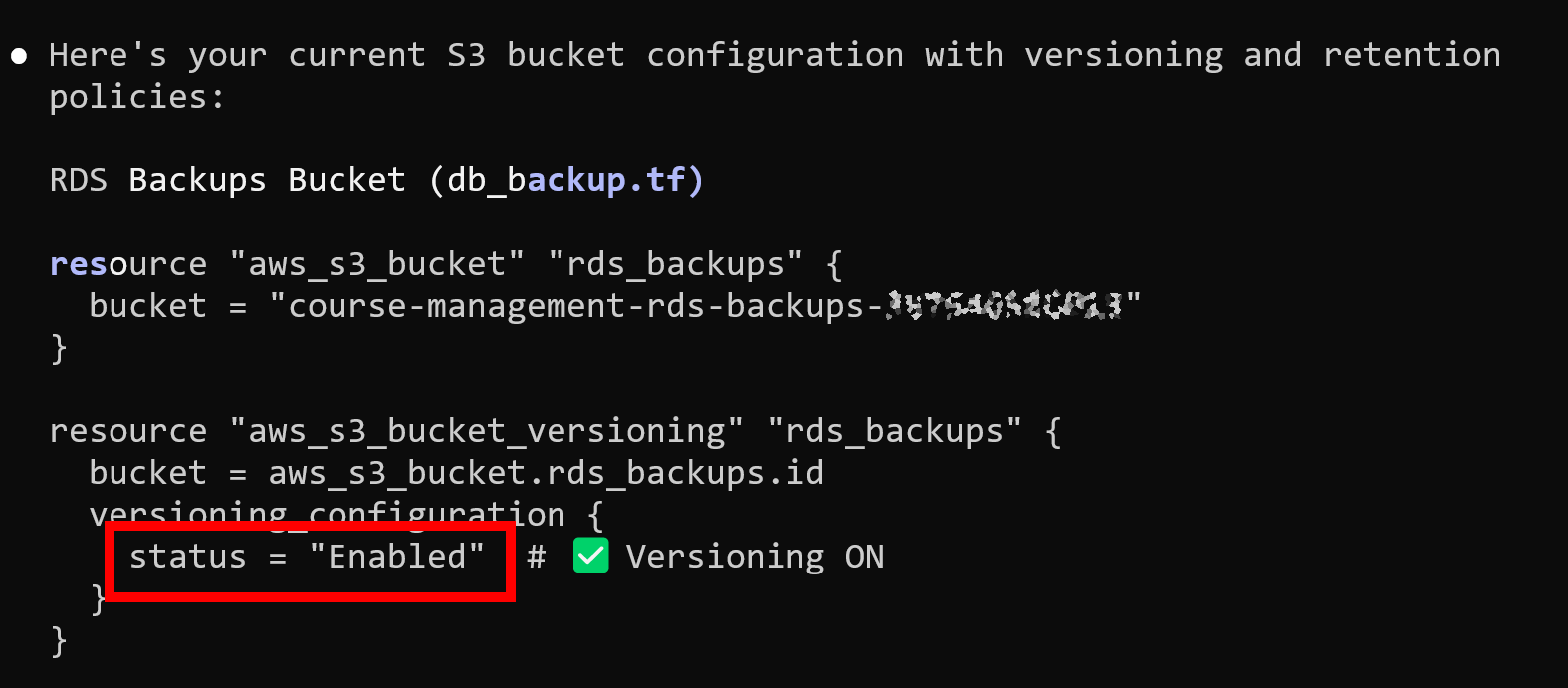
Most importantly, I moved Terraform state to S3.
State is no longer stored locally on a single machine. Terraform now has a consistent and shared view of infrastructure. That removes the original condition when I assumed the state was already remote when it was actually local on my old machine, which allowed duplicate resources to be created.
With state stored in S3:
- It is not tied to one laptop
- It cannot silently disappear when switching machines
- Terraform always has a consistent view of infrastructure
Lessons Learned
This incident was my fault:
- I over-relied on the AI agent to run Terraform commands. I treated
plan,apply, and evendestroyas something that could be delegated. That removed the last safety layer. - I also over-relied on backups that I assumed existed. Automated backups were deleted together with the database. I had not fully tested the restore path end-to-end.
- The database was too easy to delete. There were not enough protections to slow down destructive actions.
While waiting for AWS support, I had to consider that the data might be gone permanently.
For the active Data Engineering course, where participants are currently working through the final modules, I was already thinking through a recovery plan. For older courses, it would have been a permanent loss.
Fortunately, AWS support found a snapshot and restored everything.
What Changes Now
The safeguards I implemented are staying.
For Terraform:
- Agents no longer execute commands
- Every plan is reviewed manually
- Every destructive action is run by me
For AI Shipping Labs, I am considering using a separate AWS account for development and production for proper isolation before anything launches.
Related content
Building and Maintaining a Slack Moderation Bot for an 88k-Member Community
A story about how I built and maintained a Slack moderation bot for an 88k-member community using AI and AWS Lambda.
February 6, 2026
Experiments with Claude Code: Slash Commands and Persistent Coding Loops
I built funny projects with custom Claude Code slash commands (/kid and /parent), then explored stop hooks, the Ralph Wiggum plugin, and a Python-based continue loop to keep Claud…
January 9, 2026
Tailor Your CV for AI Engineering Roles
In this workshop we take a CV that's not focused on AI engineering roles and make it more relevant. We build a pipeline where: a renderer turns YAML into Harvard-style CVs we take…
July 8, 2026